Skip to content
Coming soon · iPhone & Android

IDs went digital.
Your ID checks should too.

Check age and identity from your customers’ digital IDs, right on your phone. We cryptographically verify IDs against trusted issuers so fakes won't slip through.

No dedicated scanner Designed for privacy In-person verification
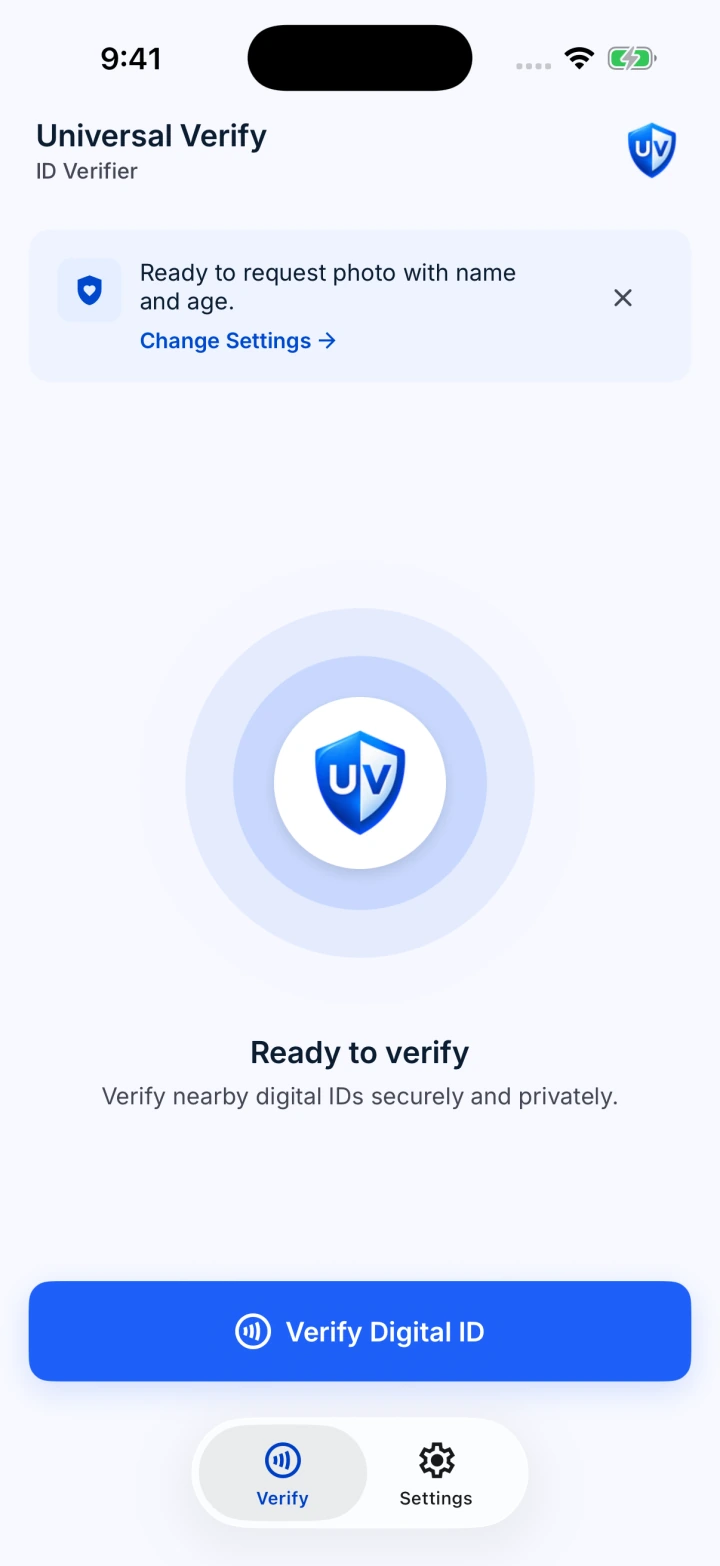
iPhone app ready to verify, with name and age selected and the Verify Digital ID button.
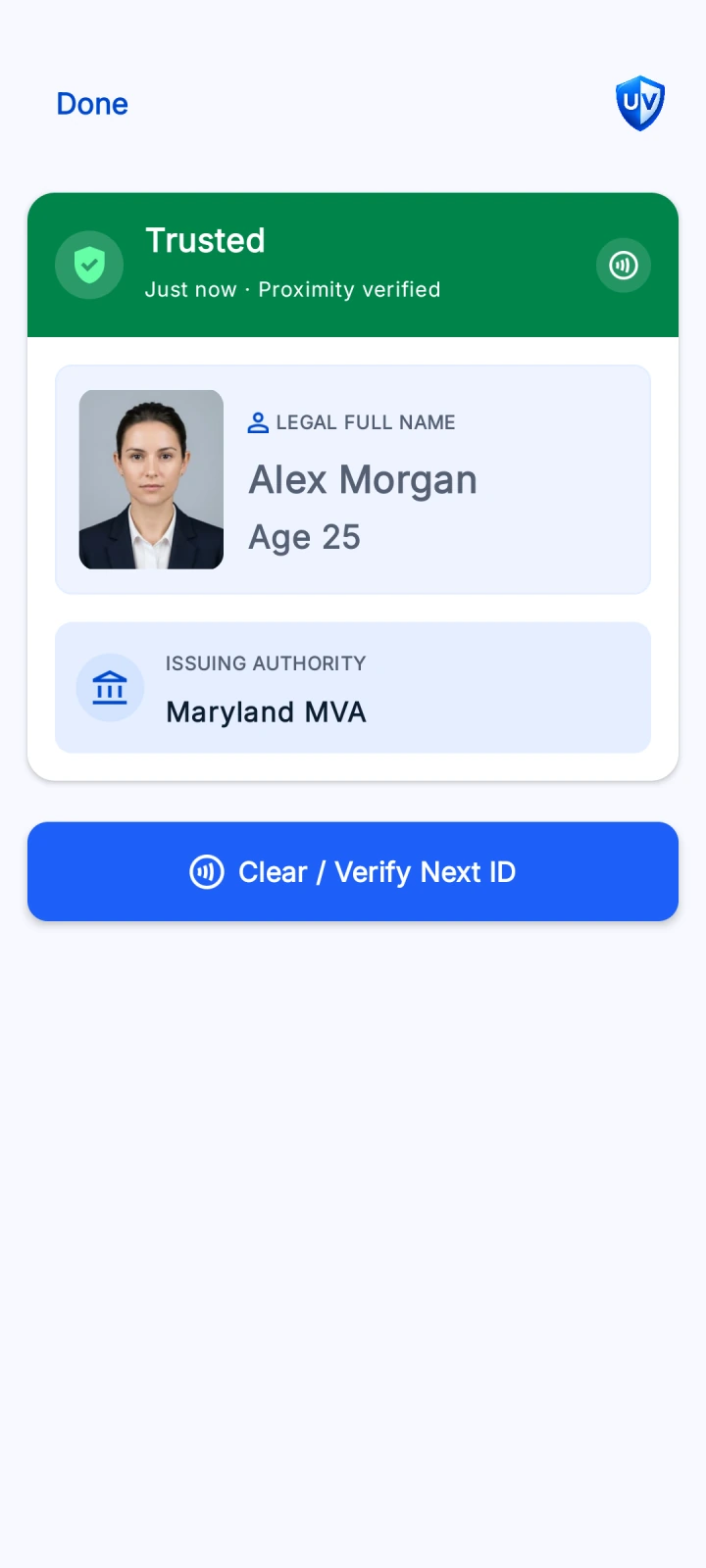
Android results screen showing a sample trusted ID with portrait, name, age, and issuing authority.
Bars & restaurants Retail counters Events & venues Front desks
How it works

A straightforward check, from start to finish.

01

Select the information you need

Choose name, exact age, or a simple yes/no age check such as “Over 21?”

02

Customer brings their phone next to yours

Similar to using Apple Pay or Google Pay, they hold their phone close, review your request, and approve sharing their ID information.

03

Review and decide

Staff review the information shown and apply their business’s acceptance policy before proceeding.

Coming soon on mobile

Two apps. One purpose. Different platform capabilities.

Both apps are designed for in-person digital ID checks, but each works within the features its platform makes available. Here's what we plan to offer at launch.

Android · Coming soon

Issuer-aware digital ID checks

Verify supported mobile IDs using configurable issuer and trust-list policies.

  • Age, name, and portrait checks, when supported by the credential
  • Configure trusted issuers and acceptance policies
  • Validate digital credential signatures against chosen trust sources
Issuer controls help enforce a policy; businesses still decide whether a specific credential is legally acceptable.
iPhone · Coming soon

Secure, display-only verification

Use Apple’s ID Verifier Display Only system interface for visual checks.

  • View age, age threshold, name, and portrait within Apple’s interface
  • Custom issuer acceptance settings are not available in this initial version
We want to bring issuer-aware workflows to iPhone when the required platform capabilities and approvals are available.
Why issuer policies matter

A genuine ID isn’t always an acceptable ID.

Businesses may need to consider not only whether a credential is authentic, but also whether its type and issuing authority meet the laws they operate under.

✓
Jurisdictions have different rules.

For example, New York Alcoholic Beverage Control Law § 65-b(2)(b) permits valid passports from any country, while limiting acceptable driver’s licenses and ID cards to specified U.S. authorities and Canadian provinces.

✓
Trust policies belong to the business.

The Android app will let your business choose which issuers and ID types to accept. These controls are planned for iOS, subject to Apple approval.

Read New York’s law
Example acceptance policy Android
Virginia DMV U.S. state mobile ID issuer Accepted by this example policy
California DMV U.S. state mobile ID issuer Accepted by this example policy
Japan’s My Number card Japanese national ID card Not accepted by this example policy
Why this setting exists
Recognizing a valid digital credential and deciding whether to accept it for a transaction are distinct steps.
Built by people who build verification tools

Open-source work. Real technical foundations.

Universal Verify also develops open-source tools for working with digital credentials and establishing issuer trust. Our projects include an ID verification library and a registry for trusted issuing authorities.

UNIVERSAL VERIFY · OPEN SOURCE
↗  id-verifier Digital credential verification
↗  trusted-issuer-registry Issuer trust resolution
Open standards · Transparent implementation

Interested in trying Universal Verify?

We’re preparing the iPhone and Android apps and would love to hear from businesses that check IDs in person.

Contact us↗